
Grab exactly what you mean, nothing more.
Press a single shortcut and Snapvere freezes your display, so menus, tooltips and hover states stay exactly where they are. Drag a region with a magnifier loupe at your cursor, snap to a window, or take the entire display in one keystroke.
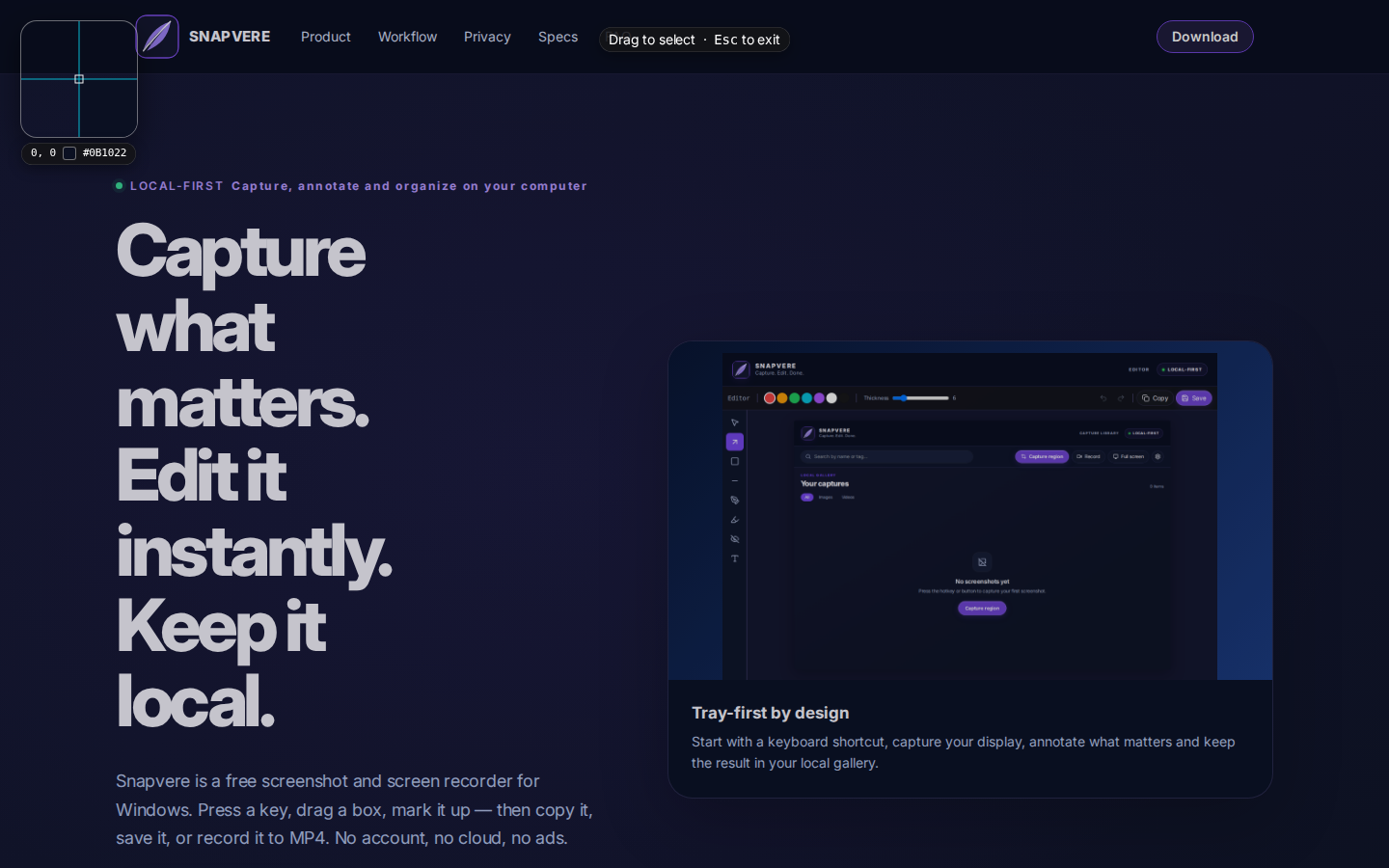
Frozen-frame selection
The screen is captured the instant you press the hotkey, so transient UI never disappears before you select it.
Magnifier loupe
A zoomed loupe with live pixel coordinates follows your cursor for edge-perfect selections.
Multi-monitor aware
Works across mixed-DPI setups and every connected display without blurry scaling.
Full-screen in one key
Skip the selection entirely and capture the whole display when speed matters most.
Built for the moment that matters
Bug reports, design reviews and support replies depend on showing exactly what happened. Snapvere captures the frame immediately and lets you take your time to frame it perfectly.
Copy, save or export instantly
Press Ctrl+C to copy the result to the clipboard, Ctrl+S to keep it in your local library, or choose Save As to export a PNG or JPG anywhere on disk.
Three steps. Seconds, not minutes.
- 1
Press Print Screen (or your custom hotkey) — the display freezes instantly.
- 2
Drag a region with the magnifier loupe, click a window, or press Enter for the full screen.
- 3
Annotate if needed, then copy with Ctrl+C or save with Ctrl+S.
At a glance
- Capture modes
- Region, window, full screen
- Formats
- PNG (lossless), JPG
- Displays
- Multi-monitor, mixed DPI
- Precision
- Pixel loupe with live coordinates
- Output
- Clipboard, library, Save As
Common questions
Can I capture menus and tooltips?
Yes. Because the screen freezes the instant you press the hotkey, open menus and hover states remain visible while you select.
Does it work with 4K and scaled displays?
Yes. Captures are taken at native resolution on every monitor, regardless of scaling.
More from Snapvere
Capture what matters. Keep it yours.
Free for Windows and Linux. Upgrade to Pro for advanced recording and batch workflows. No automatic capture uploads.
Platform note: Windows supports MP4 and optional audio. Linux currently records silent GIFs only; MP4, audio and cursor compositing are unavailable on Linux. Desktop compatibility can vary.