
Explain visually. Protect what's private.
Mark up a capture the moment you take it. A compact toolbar gives you arrows, rectangles, ellipses, a pen, a highlighter, numbered steps, text labels and a real blur tool, all with undo and redo.
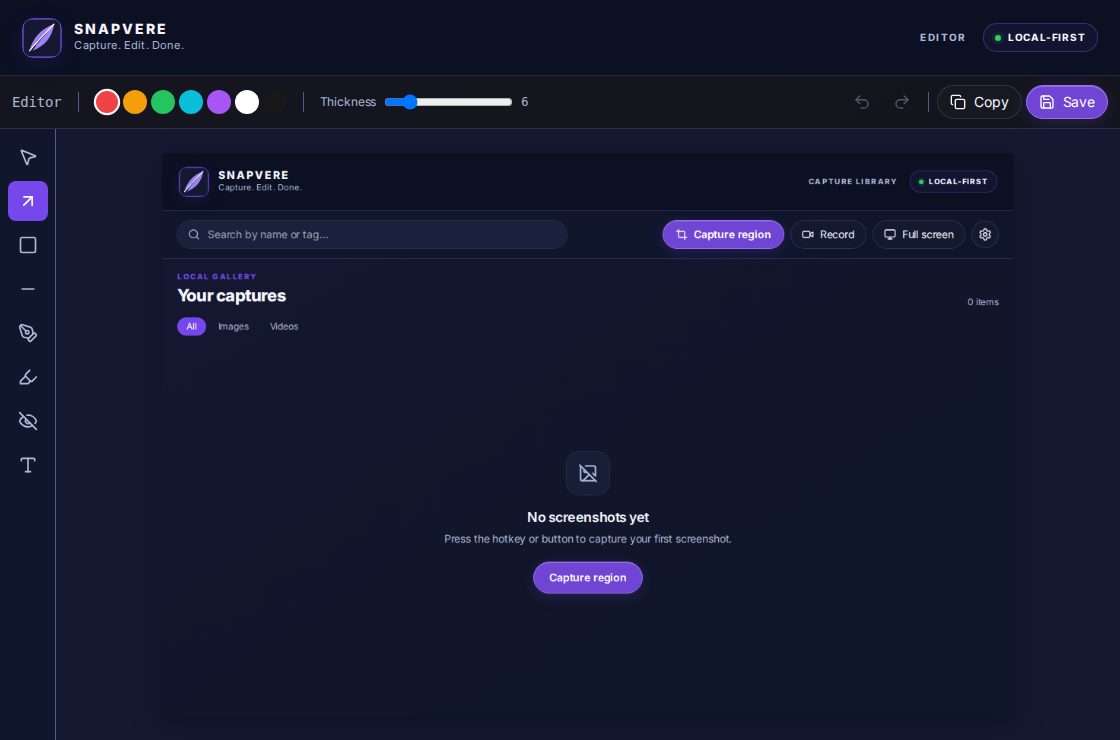
Arrows & shapes
Clean, crisp vector annotations with adjustable thickness and a curated colour palette.
Numbered steps
Drop auto-incrementing markers to turn any screenshot into a step-by-step guide.
Blur & redact
Hide emails, tokens, names and faces before anything ever leaves your computer.
Text labels
Add short, legible callouts that stay sharp at any zoom level.
Privacy as a first-class tool
Redaction isn't an afterthought. Blur is one keystroke away and is baked into the exported pixels, so the original content cannot be recovered from the file.
Non-destructive until you save
Every stroke is editable until you copy or save. Undo and redo as much as you like — your original capture stays untouched.
Three steps. Seconds, not minutes.
- 1
Take a capture — the editor toolbar appears right next to your selection.
- 2
Choose a tool with a single key: A arrow, R rectangle, N step, T text, B blur.
- 3
Pick a colour and thickness, draw, and undo freely until it's perfect.
At a glance
- Tools
- Arrow, rectangle, ellipse, line, pen, highlighter, steps, text, blur
- Colours
- Curated palette with high-contrast options
- History
- Unlimited undo and redo
- Redaction
- Blur baked into exported pixels
- Shortcuts
- Single-key tool switching
Common questions
Can blurred content be recovered?
No. Blur is applied to the pixels of the exported image, so the original content isn't stored in the file.
Can I edit a capture later?
Annotations stay editable until you copy or save. After that, the result is a flat image you can re-annotate as a new capture.
More from Snapvere
Capture what matters. Keep it yours.
Free for Windows and Linux. Upgrade to Pro for advanced recording and batch workflows. No automatic capture uploads.
Platform note: Windows supports MP4 and optional audio. Linux currently records silent GIFs only; MP4, audio and cursor compositing are unavailable on Linux. Desktop compatibility can vary.