
Tools should get out of your way.
Our mission
We help people communicate clearly with their screen. Developers reporting bugs, designers presenting work, support teams answering questions, teachers building lessons — everyone explains things visually, every day.
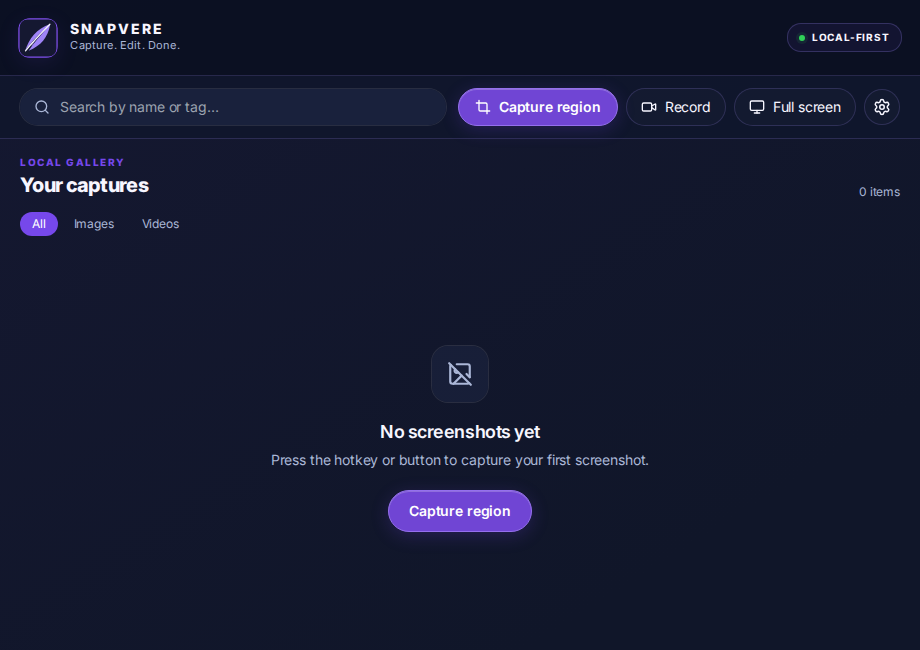
Snapvere makes that effortless: capture precisely, explain visually, record the flow, and find it later. All in one calm workspace that lives in your tray.
What we believe
- Local-first. Your captures belong on your device, not on our servers.
- Respect attention. No advertising or unnecessary interruptions.
- Reliability over novelty. A recording that fails silently is worse than no recording at all.
- Accessible to everyone. Localised into 12 languages with accessible labels throughout.
Keyboard-first
Customizable capture shortcuts.
Tray-first
Always ready, never in the way.
Privacy-first
Your captures stay on your device.
Quality-first
Tested on every release.
From a frustration to a focused tool.
Most capture tools either do too little or ask for too much: an account, a subscription, a cloud upload, a browser extension. We wanted something in between — a tool that feels native, starts instantly, does the essentials beautifully and respects the fact that your screen is private.
The idea
A single hotkey to capture, annotate and copy — without opening a separate app.
Annotation
Arrows, numbered steps, text and a real blur tool, designed for clarity rather than decoration.
Recording
Windows MP4 and GIF recording, and silent GIF on Linux.
The library
A searchable local gallery with a built-in player and image viewer.
Twelve languages
A fully localised interface, including the Windows tray menu.
Reliability
Hardened recording, strict window permissions and safe storage on every release.
Available in 12 languages
Capture what matters. Keep it yours.
Free for Windows and Linux. Upgrade to Pro for advanced recording and batch workflows. No automatic capture uploads.
Platform note: Windows supports MP4 and optional audio. Linux currently records silent GIFs only; MP4, audio and cursor compositing are unavailable on Linux. Desktop compatibility can vary.